Your money,
on your phone.
Silo is a budget tracker that keeps every entry on your own phone. Log a purchase in seconds, see what's safe to spend until payday, and never hand over a bank password.

Buy once. No subscription, no ads, no account.
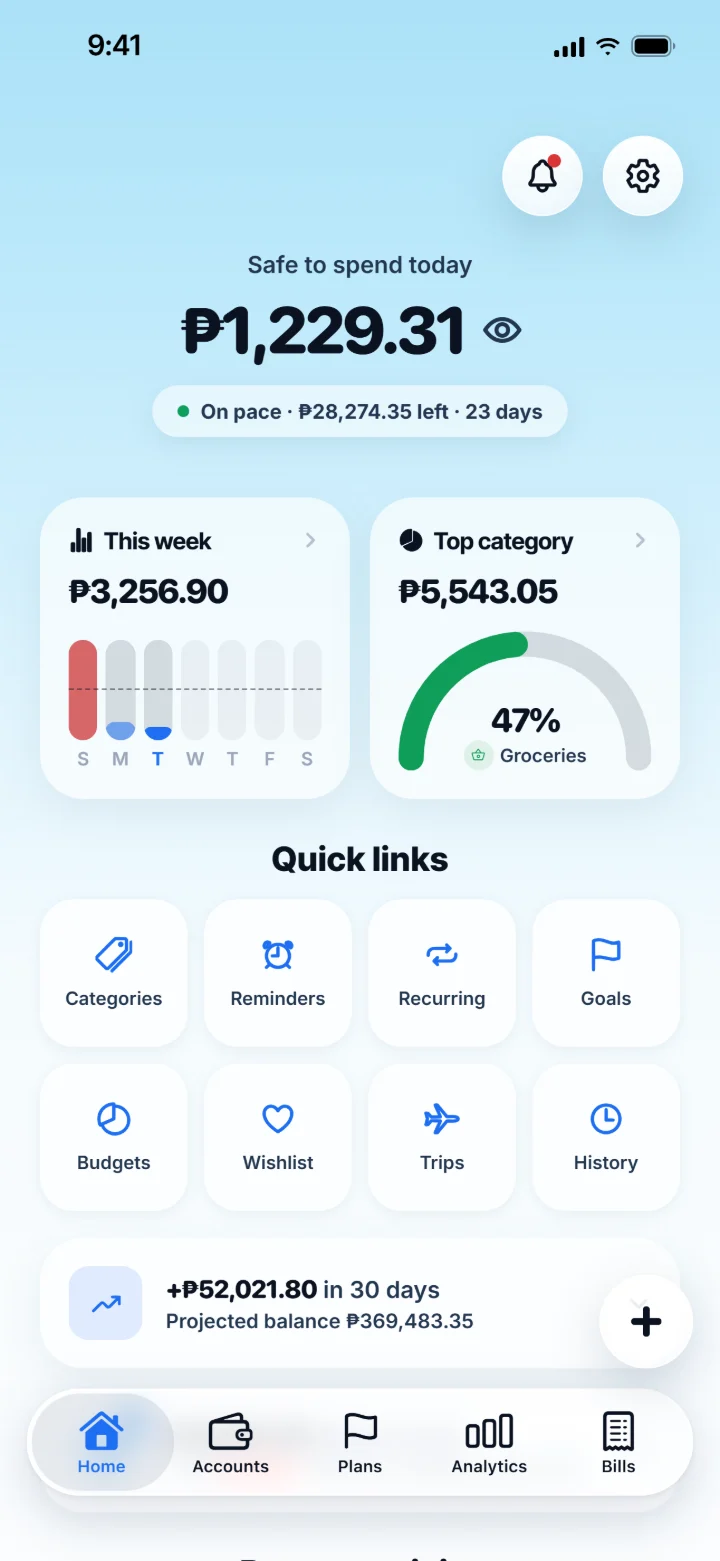
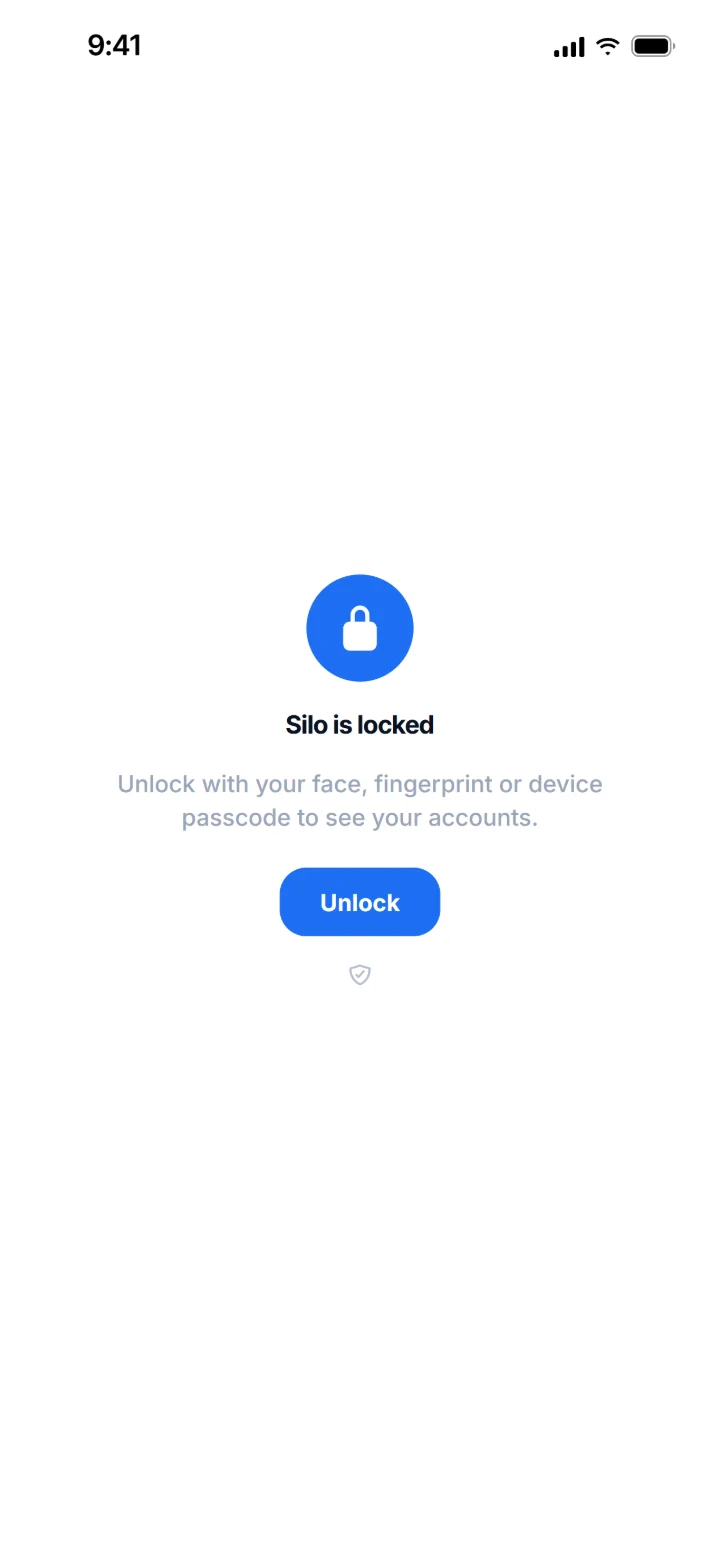
Your iPhone, locked. Face ID knows it's you. Silo keeps its own lock, too. Then your money, right where you left it.
Logged before you put your phone away.
Two ways Silo records a payment without being opened. Real recordings, on a real iPhone.
Tap to pay. It logs itself.
Pay in a shop and Silo records the amount, the shop and the card on its own. A notification confirms it. Set it up once in Shortcuts.
Log it from the lock screen.
Put Log Expense in AssistiveTouch, Back Tap or Siri. Type the amount and the shop, pick a category and an account, and it's saved without opening Silo.
Everything about your money, in one calm app.
Built around real paydays, including twice a month on the 15th and the 30th.
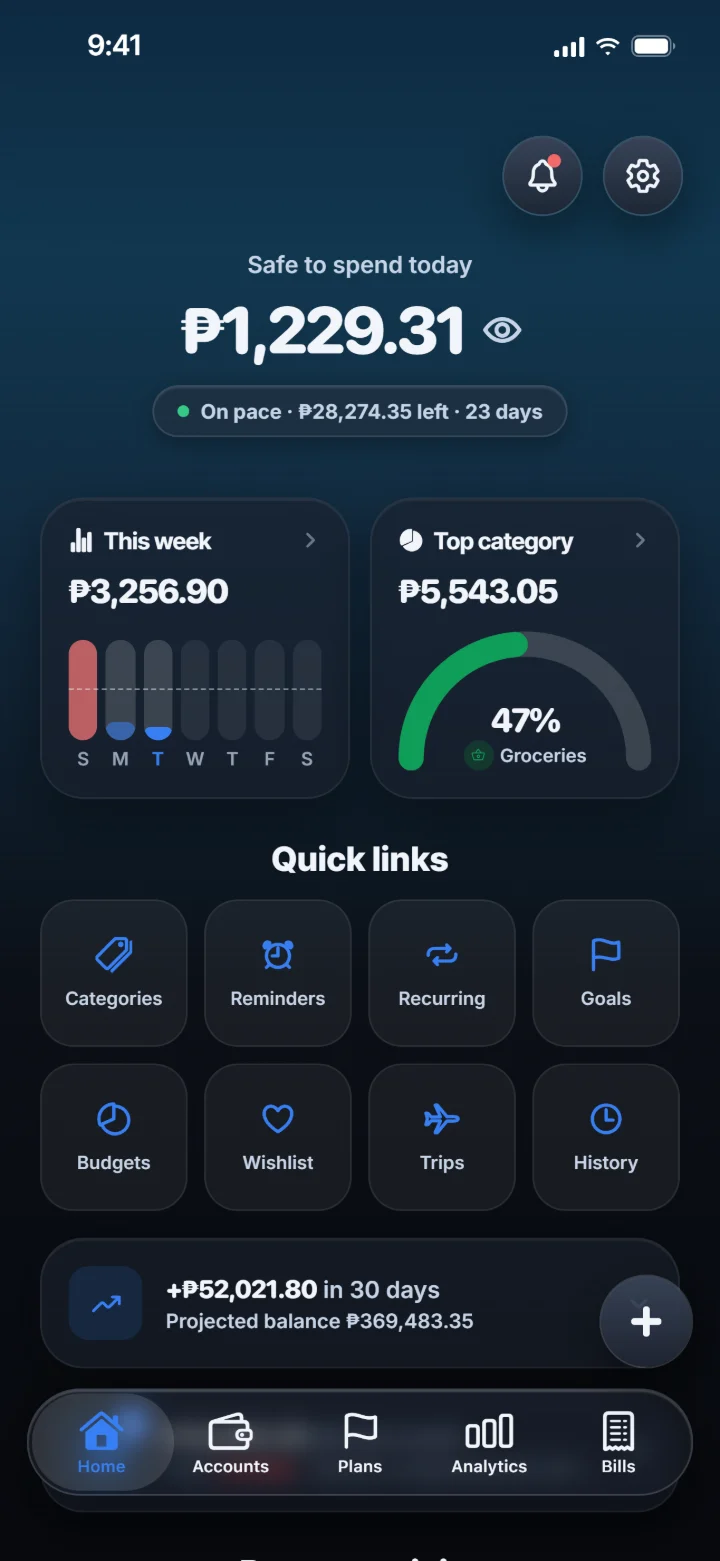
Know what's safe to spend today.
One number for today, worked out from your pay cycle after bills, card statements and instalments. It tells you whether you're on pace before payday does.
- Safe to spend that follows your pay schedule
- An on-pace check and a 30-day balance forecast
- Tap the eye to hide every amount in public
Log it in seconds.
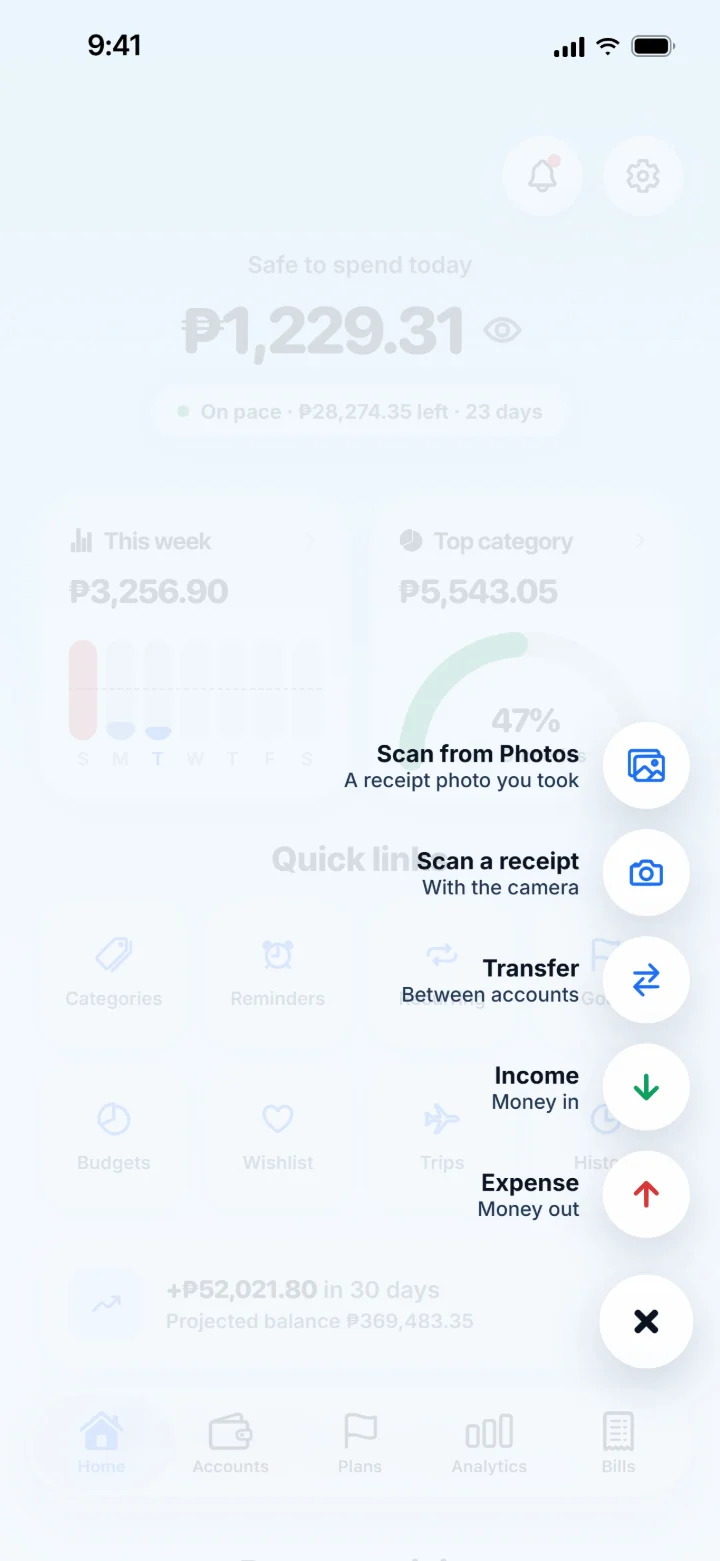
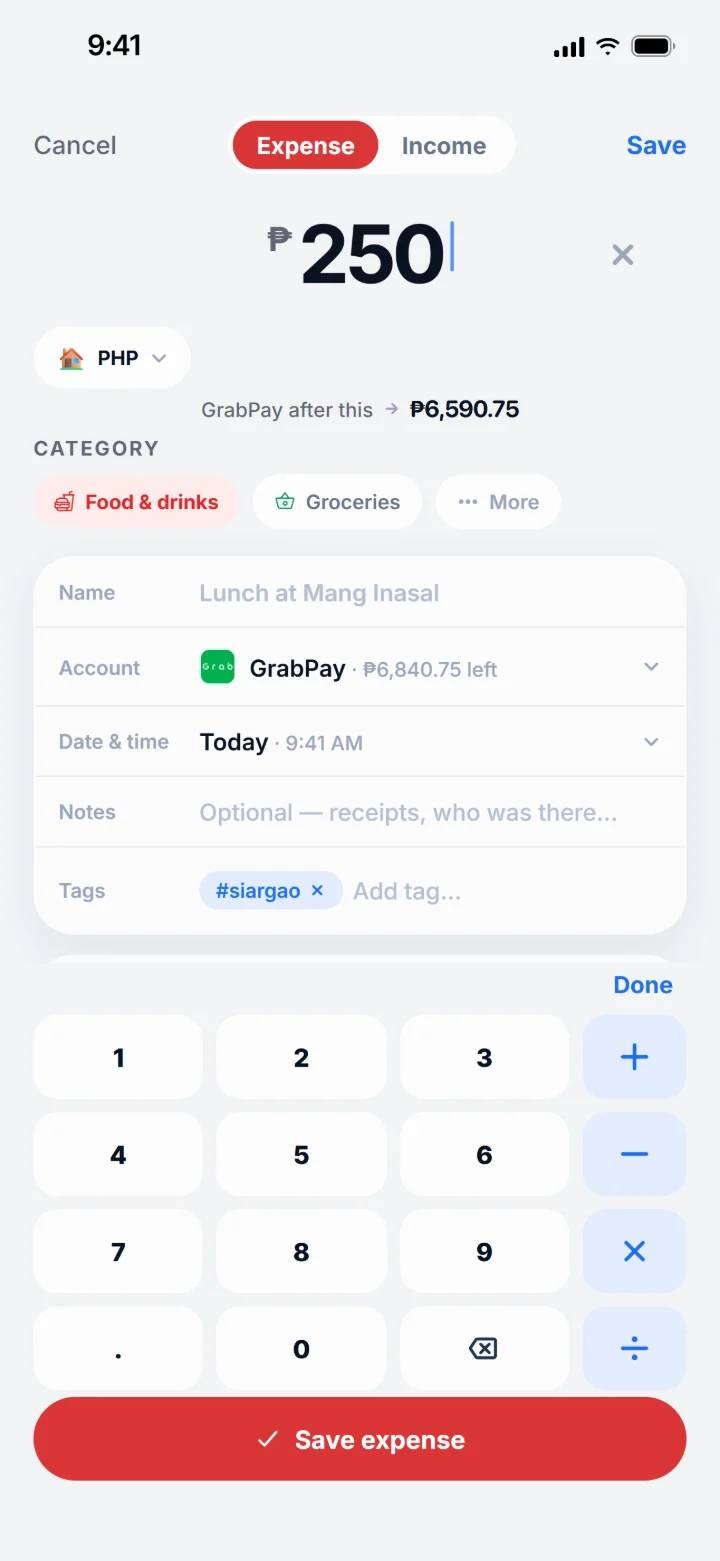
Tap + and pick what happened. The keypad comes up first, and a shop's name brings its logo and category with it. Or scan the receipt and let the items fill themselves in.
- Scan receipts on your phone, long ones too
- Apple Pay taps can log themselves on iPhone
- Bank notifications can log payments too, on iOS 27 Beta
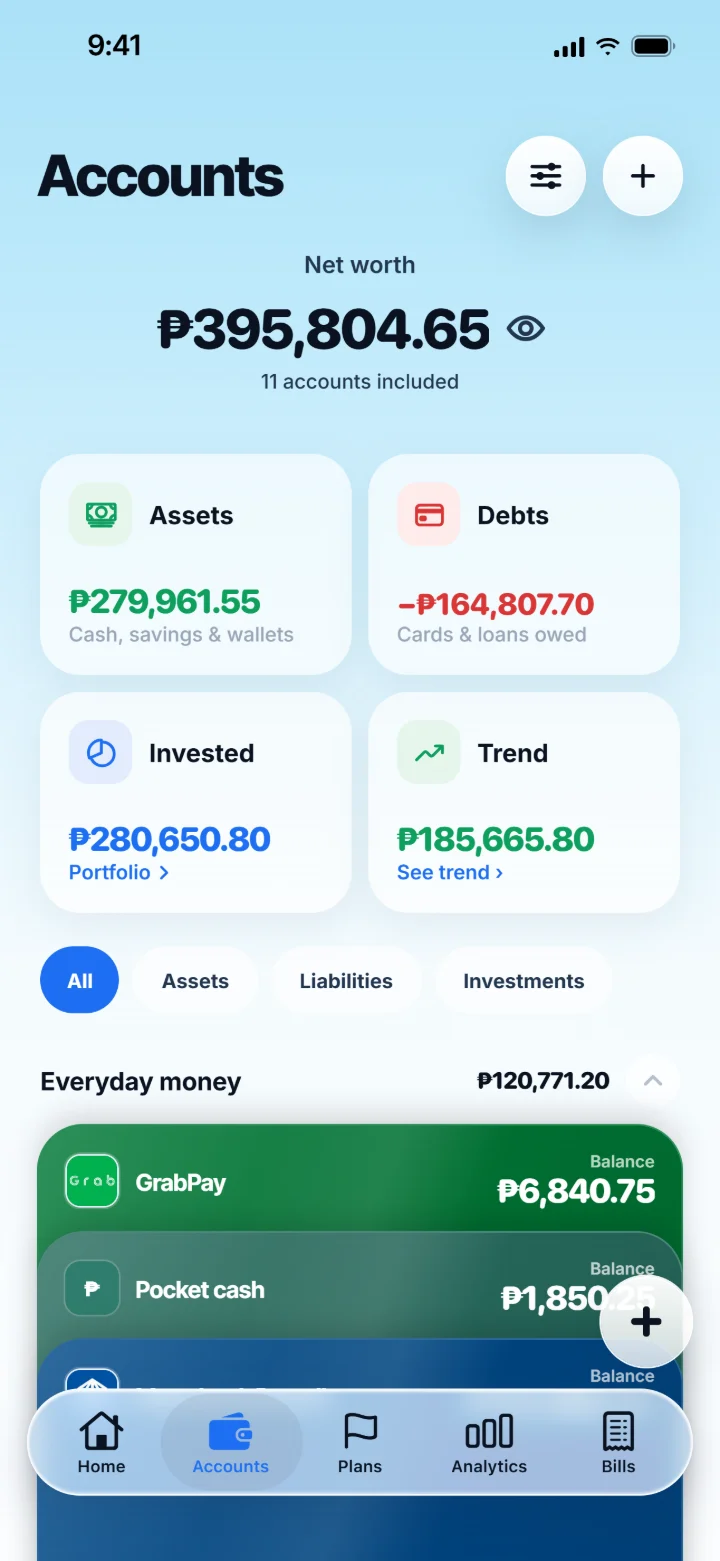
Every account, one net worth.
Banks, e-wallets, cash, credit cards, loans and investments. Each one keeps its own balance, statement and history, and your net worth sits on top.
- Assets, debts and investments at a glance
- Credit cards show how much of the limit is used
- A PDF or CSV statement for any date range
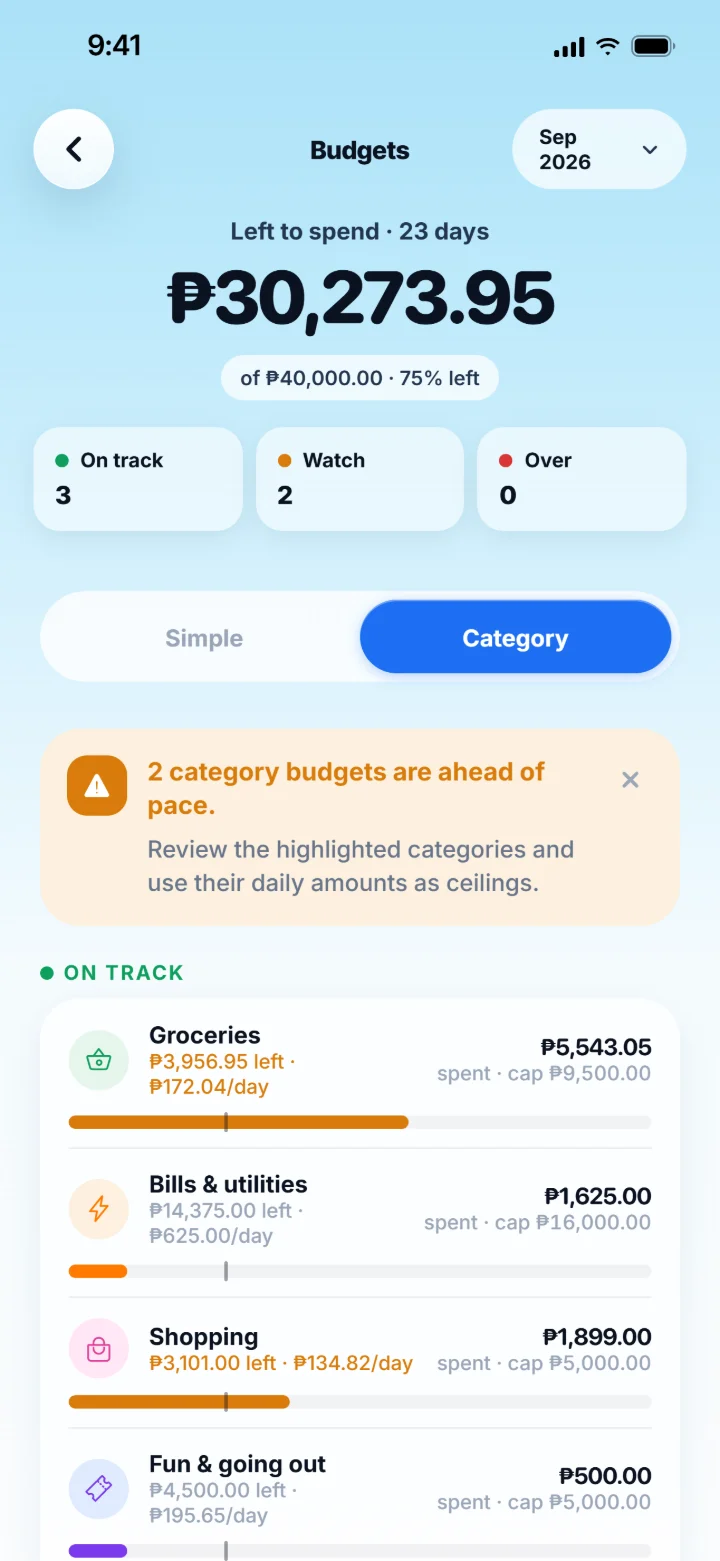
Budget simply, or cap every category.
Start with Needs, Wants and Savings. When you want more, give each category its own cap, and Silo tells you which ones are running ahead of the month.
- A simple split or a cap for each category
- Save a fixed amount first, every month
- A daily amount that keeps each cap on track
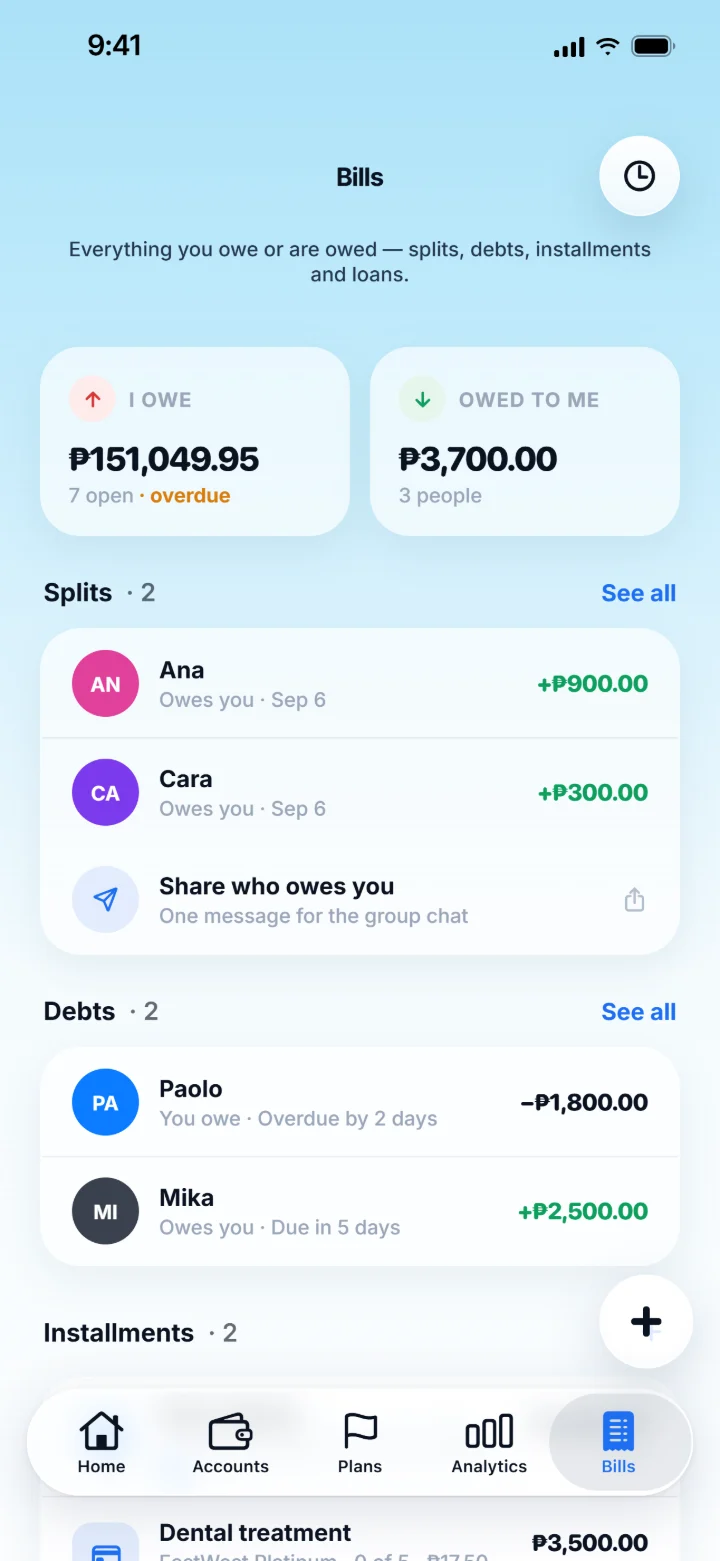
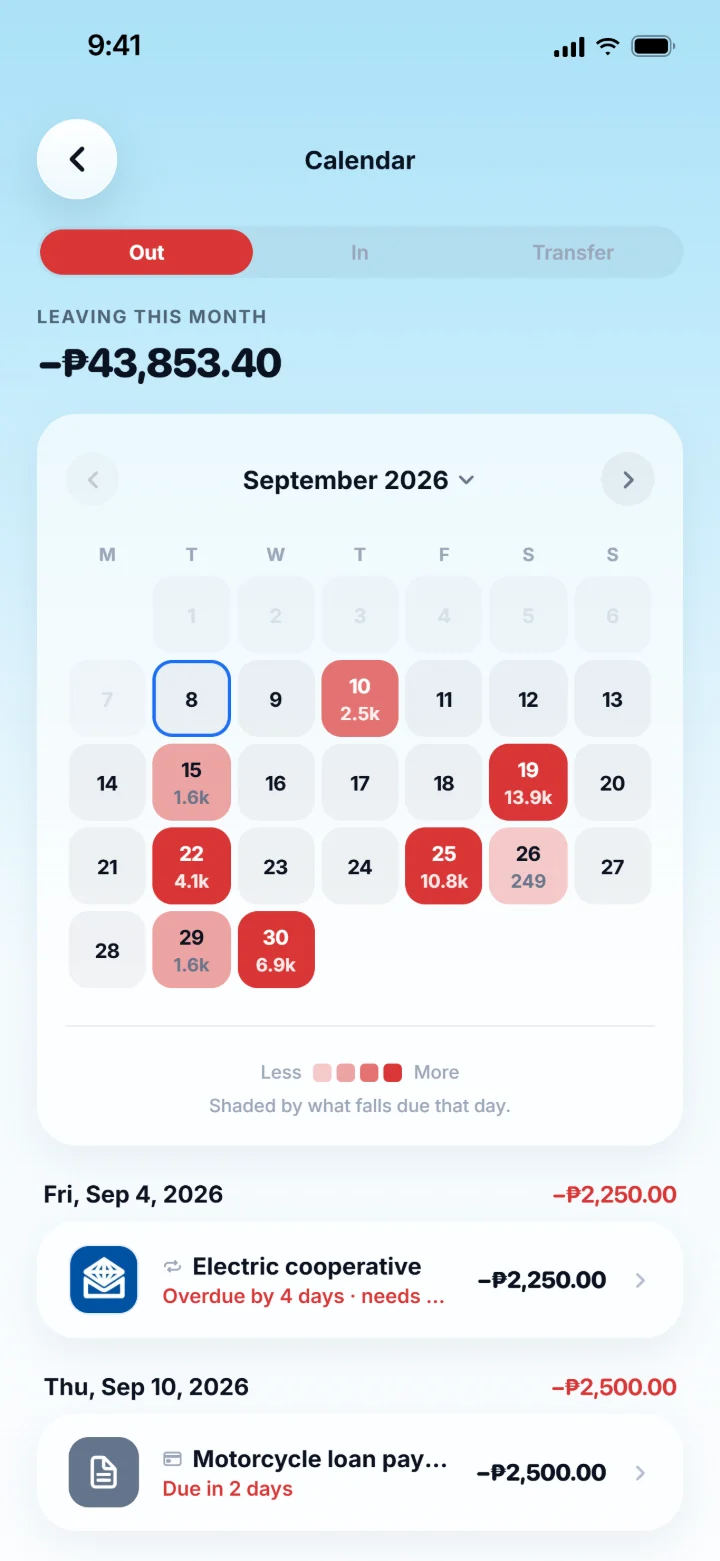
What you owe, and what you're owed.
Debts, split bills, instalments and loans have their own tab. The calendar shows what leaves your accounts, day by day, so nothing sneaks up on you.
- Repeating bills that log themselves, or ask first
- Split a bill, even when one person has a discount
- Reminders that arrive on the day, on your phone
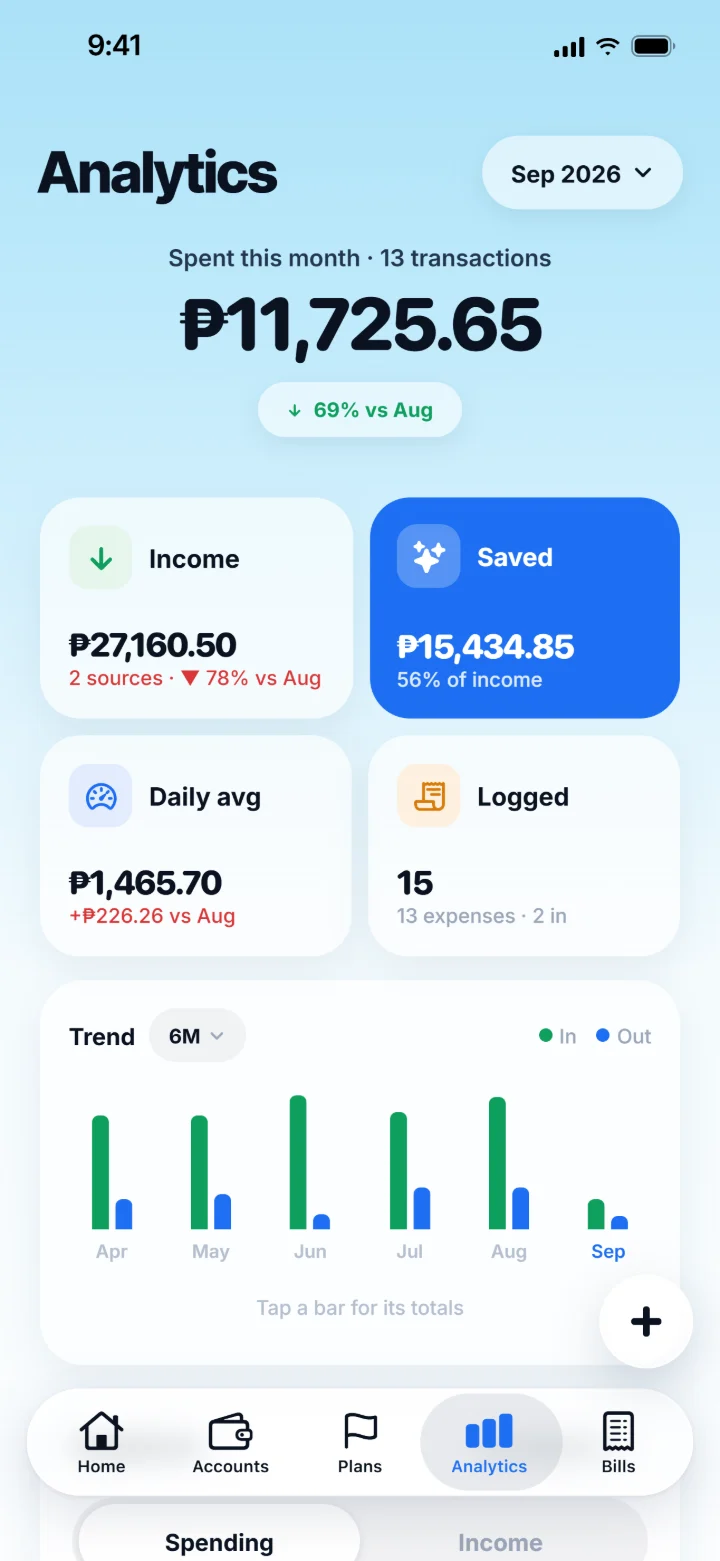
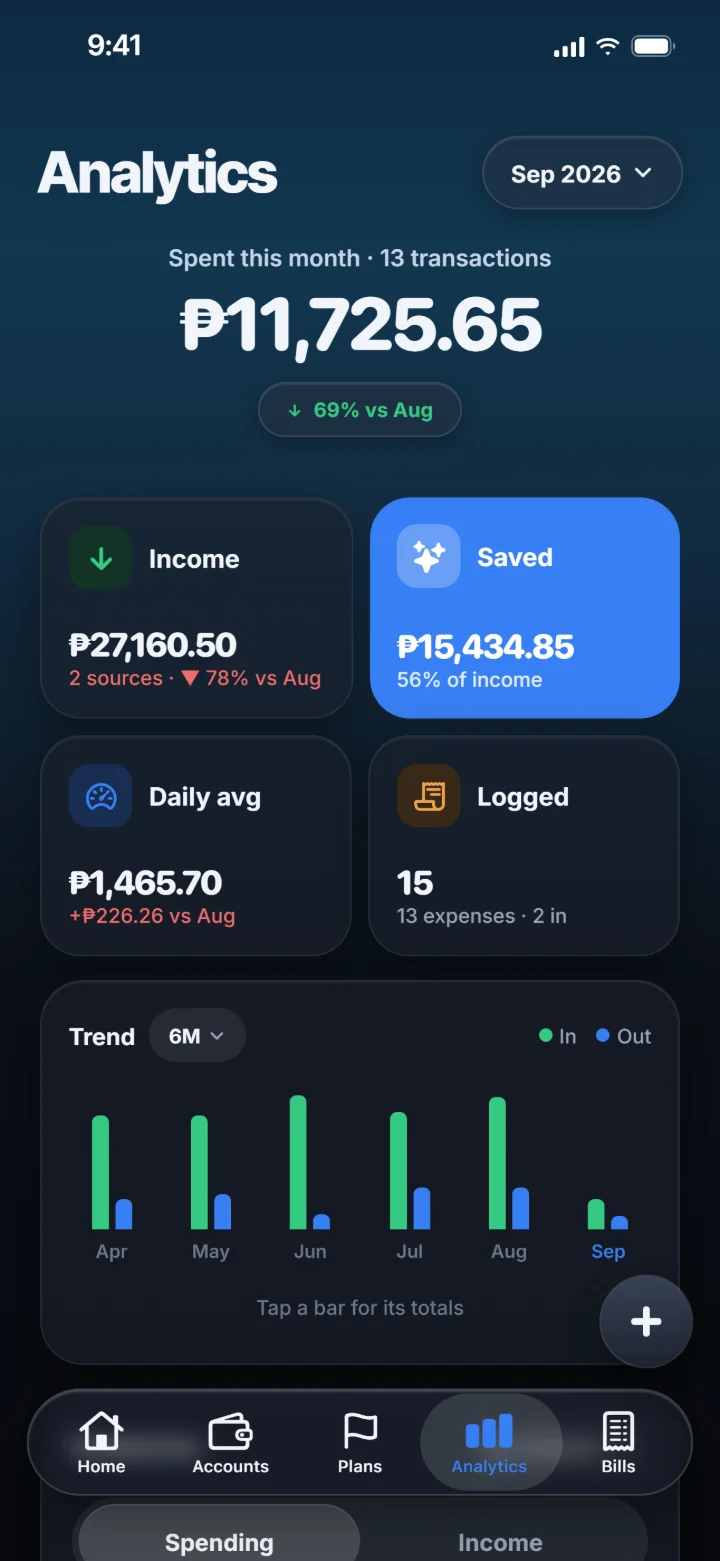
See where it all went.
What came in, what went out and how much you kept, by category or by account. Trends run from a week to a year, and everything is worked out on your phone.
- Income, spending and savings rate together
- Compare this month with the last one
- Trends from one week to a whole year
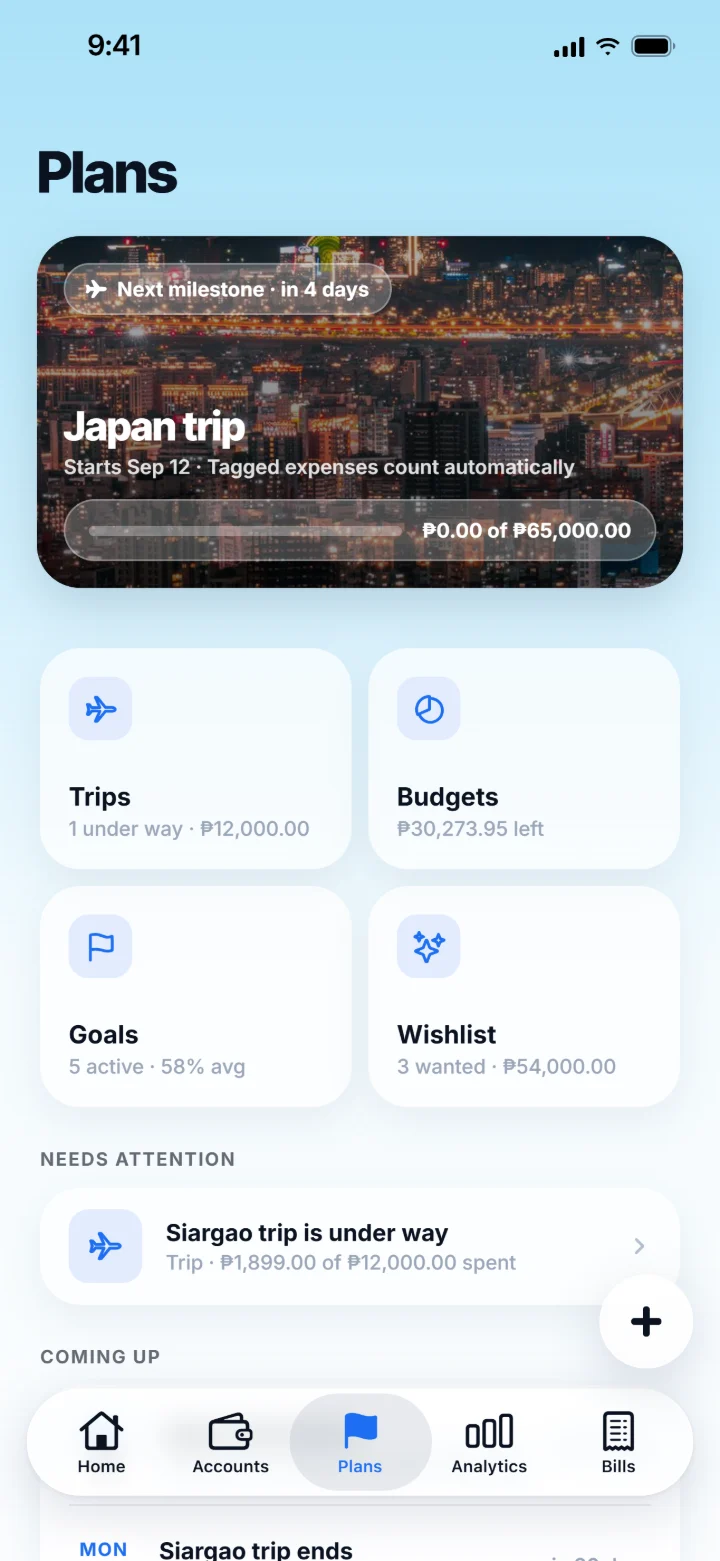
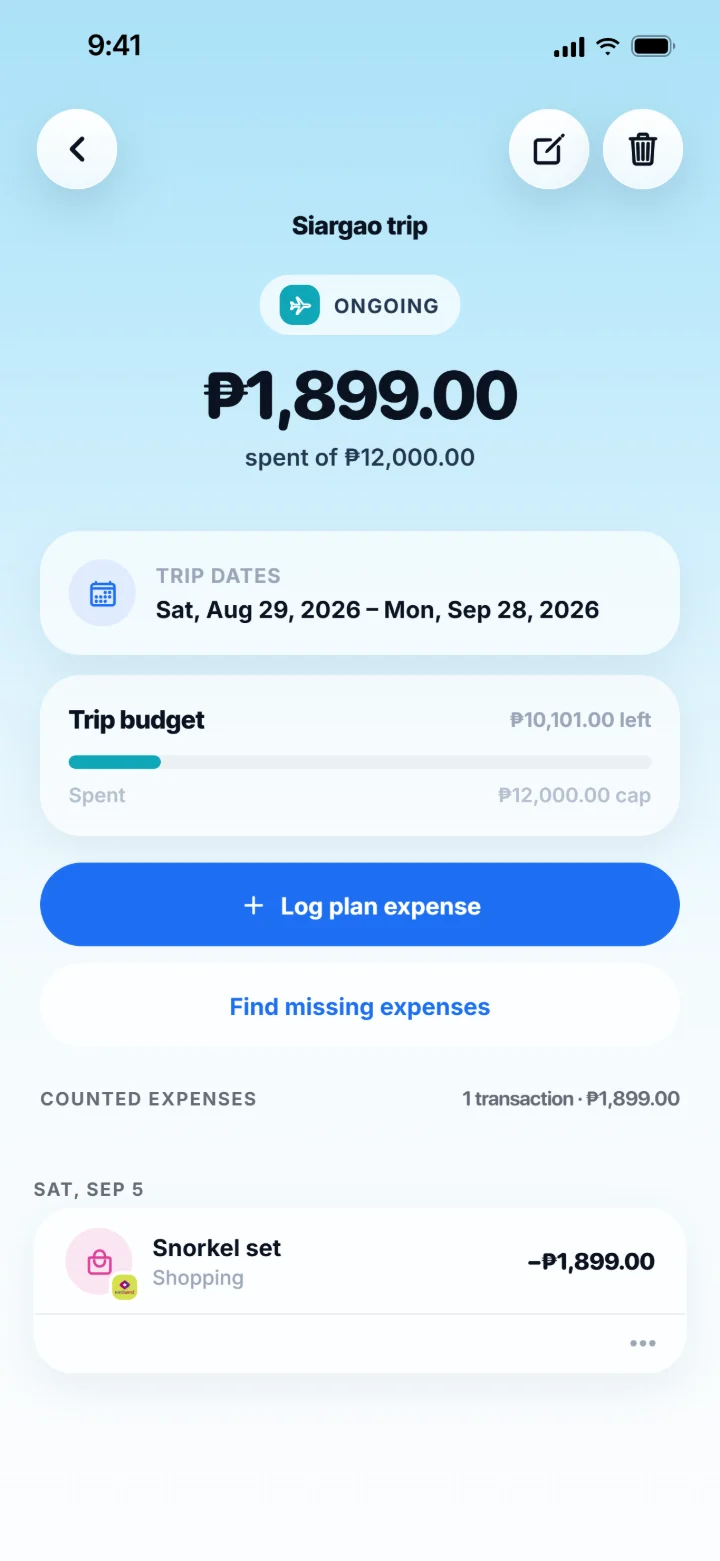
Save for what's next. Travel in any currency.
Goals, trips and a wishlist live in one tab. Give a trip its own budget in the local currency and log what you spend there, even with your data off.
- Goals that show how close you are
- Trip budgets in the currency you'll spend
- A wishlist for the things you're saving toward
Small things, done properly.
The parts you notice on day ten, not day one.
Light, dark, and your colour
Pick a tint for the whole app and let it follow your phone's light or dark setting.
Face ID lock
Lock Silo behind Face ID or your passcode. Your records are encrypted on the phone.
Widgets
Today's number on your Home Screen and Lock Screen, without opening the app.
Siri, Shortcuts and Back Tap
Log from anywhere on your iPhone, even from the Action Button.
Many currencies
Accounts and trips keep their own currency, and your totals stay in yours.
Receipts, read on your phone
Scan a receipt, even one that needs a few photos. The photo never leaves your phone.
Backups your way
Export a backup, a spreadsheet or a statement whenever you like, or keep a daily copy in your own iCloud.
Reminders that know the day
Bills, budgets and a nudge when you forget to log, scheduled on your phone.
Silo collects nothing.
There's no account, no server and no analytics. Your records are encrypted on your phone, and a copy only goes where you send it.
Read the privacy policy- Encrypted on your phoneThe ledger is encrypted at rest, behind your lock if you turn it on.
- Never connected to your bankSilo moves no money and never asks for a bank login.
- Nothing to trackNo analytics, no ad SDKs, no crash reporter. We can't see how you use it.
- Your iCloud, if you want itCopy to iCloud is off until you say yes, and only you can read it.
Questions, answered.
Where can I get Silo?
On the App Store, for iPhone. An Android version is coming to Google Play. Check back here, or write to support.siloapp@gmail.com to hear when it's out.
How much does it cost?
You pay once. There's no subscription, no ads and no in-app purchase. The price for your country is shown on the App Store, and refunds go through Apple.
Does Silo connect to my bank?
No. Silo never asks for a bank login and never moves money. You log entries yourself, scan a receipt, or let a Shortcut hand Silo an Apple Pay tap or, on iOS 27, a notification from your bank (Beta). All of it is read on your phone.
Where is my data stored?
On your phone, encrypted. There's no server and no account, so there's nothing of yours on our side. If you turn on Copy to iCloud, Apple keeps a copy in your own iCloud that only Silo on your devices can read. The privacy policy has the details.
What happens when I get a new phone?
Turn on Copy to iCloud in Settings, then Backup & export. A new iPhone signed in to the same Apple Account can restore your records from Silo's first screen. You can also export a backup file at any time and restore it on the new phone yourself.
Does it work offline?
Yes, completely. On a plane, in the province or with your data off, everything works.
More answers in Support.
Found a bug? Have an idea?
Silo is made by one small team, and every message gets read. Tell us what broke or what you'd like to see next.
support.siloapp@gmail.com
Your money, on your phone.
Buy it once and keep it. No subscription, no ads, no account.